
Drop your clips. Type a brief. Get a cut you edit like a doc.
ReelsBot is a Mac video editor for talking-head shorts and screen-recording tutorials. It transcribes on your Mac, removes retakes, stutters and dead air, and hands you a cut you fix by editing text.
One-time payment · Apple silicon · macOS 26+
How it works
Four steps. No scrubbing for the good take.
ReelsBot does the tedious part of editing talking-head video, then gets out of the way so you can make the calls.
- 01
Drop clips
Phone footage, screen recordings, a long take full of retakes. ReelsBot reads the audio, measures loudness, finds scenes and transcribes — on your Mac.
- IMG_4021.MOV2:14Transcribed
- Screen Recording.mov5:02Transcribing
- take-2.MP40:48Measuring loudness
- 02
Auto-edit with a brief
Type what you want — length, orientation, what to keep — and press Auto-edit. The result lands on the timeline as one undo step.
45s vertical short, cut retakesAuto-edit- plan
- validate
- compile
- close pauses
- tighten joins
- check cuts
- 03
Fix the cut like a doc
The transcript is the timeline as text. Delete words to cut them, move sentences with ⌘X / ⌘V, or trim on the timeline with the mouse.
Drop your clips in, type a brief, and then honestly just wait a bit, and fix the cut like a doc.
⌫Deleted 6 words · ⌘Z - 04
Export a verified MP4
H.264/AAC with optional burnt-in captions, mastered to −14 LUFS, then checked automatically. An .srt comes along if you want it.
- launch-short.mp41080×1920 · 0:44.6 · −14.0 LUFSVerified
- SRTlaunch-short.srt38 captions
Features
A real editor, with the boring parts done for you.
Built for one job — turning raw talking-head and screen-recorded footage into a tight short — and built to be fast with a keyboard.
Retakes, stutters and dead air — gone
ReelsBot finds repeated takes, stumbles and long pauses in the transcript and removes them, keeping your speech in order. Nothing is deleted: every cut can come back.
So today I'm gonna— Today I'll show you how to um cut a short in one minute.
pause 2.4s Drop your clips in, type a a brief, and fix the cut like a doc.
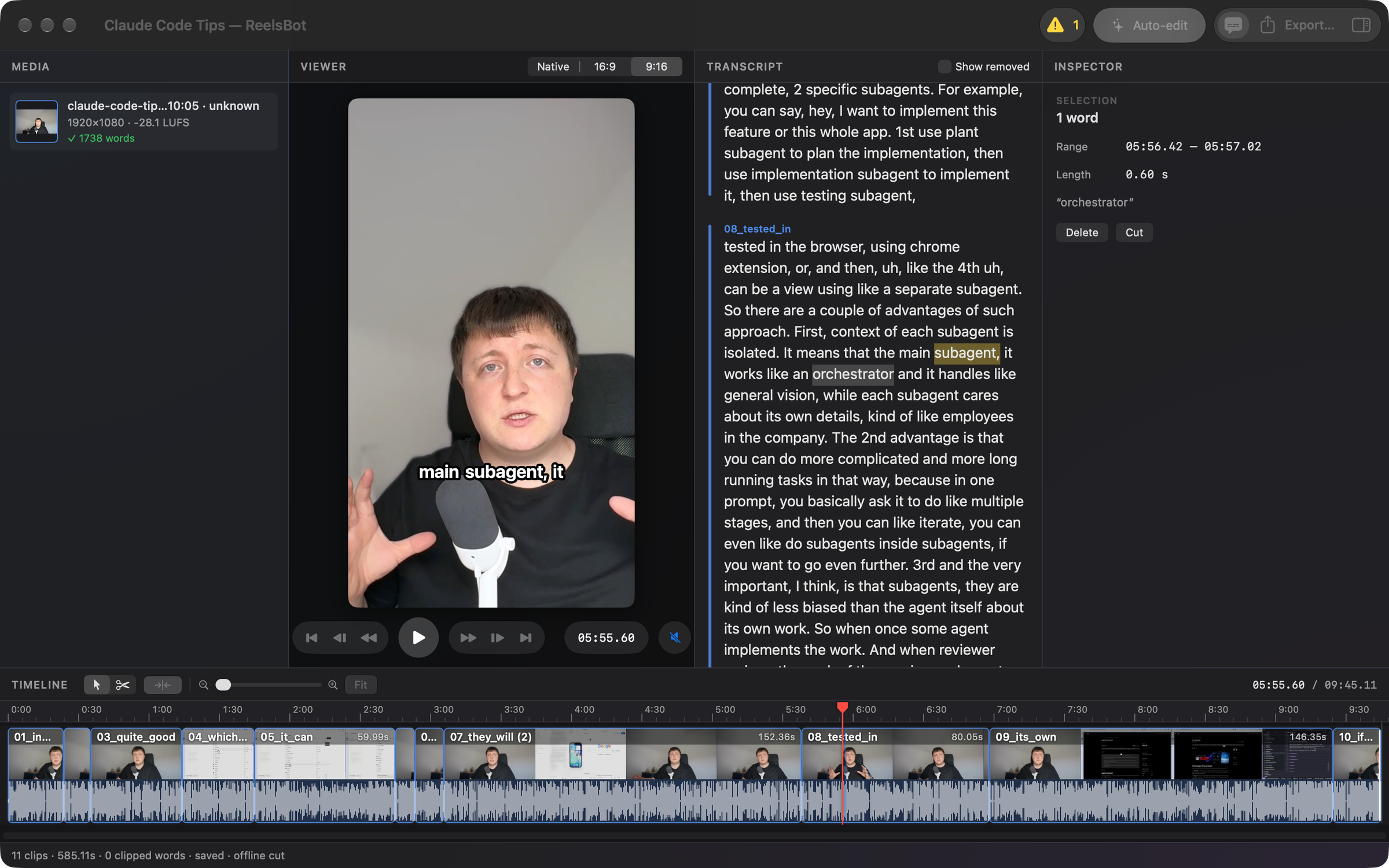
Burnt-in captions
Bold outline or a plain plate, optional UPPERCASE, one to six words at a time — checked by OCR on export.
Cut the retakes
A real timeline, not a black box
Split with ⌘B, drag edges to trim — they snap to word boundaries and silences — and drag clips to reorder. The transcript and timeline are the same edit.
Keyboard-first
J/K/L shuttle, frame steps, jumps between edits, select and blade tools. ⌘/ lists every shortcut.
- ShuttleJKL
- Split⌘B
- Ripple delete⌫
- Auto-edit⌥⌘E
9:16, 16:9 or native
Choose the framing for the whole video, then fit or fill each clip in the inspector.
Mastered to −14 LUFS
Loudness normalised for YouTube by default; −16 LUFS or off if you prefer.
Exports that check themselves
After rendering, ReelsBot verifies streams, duration, loudness, frames, words and captions.
- StreamsH.264 · AAC
- Duration0:44.6
- Loudness−14.0 LUFS
- Frames vs. timelinematch
Show removed
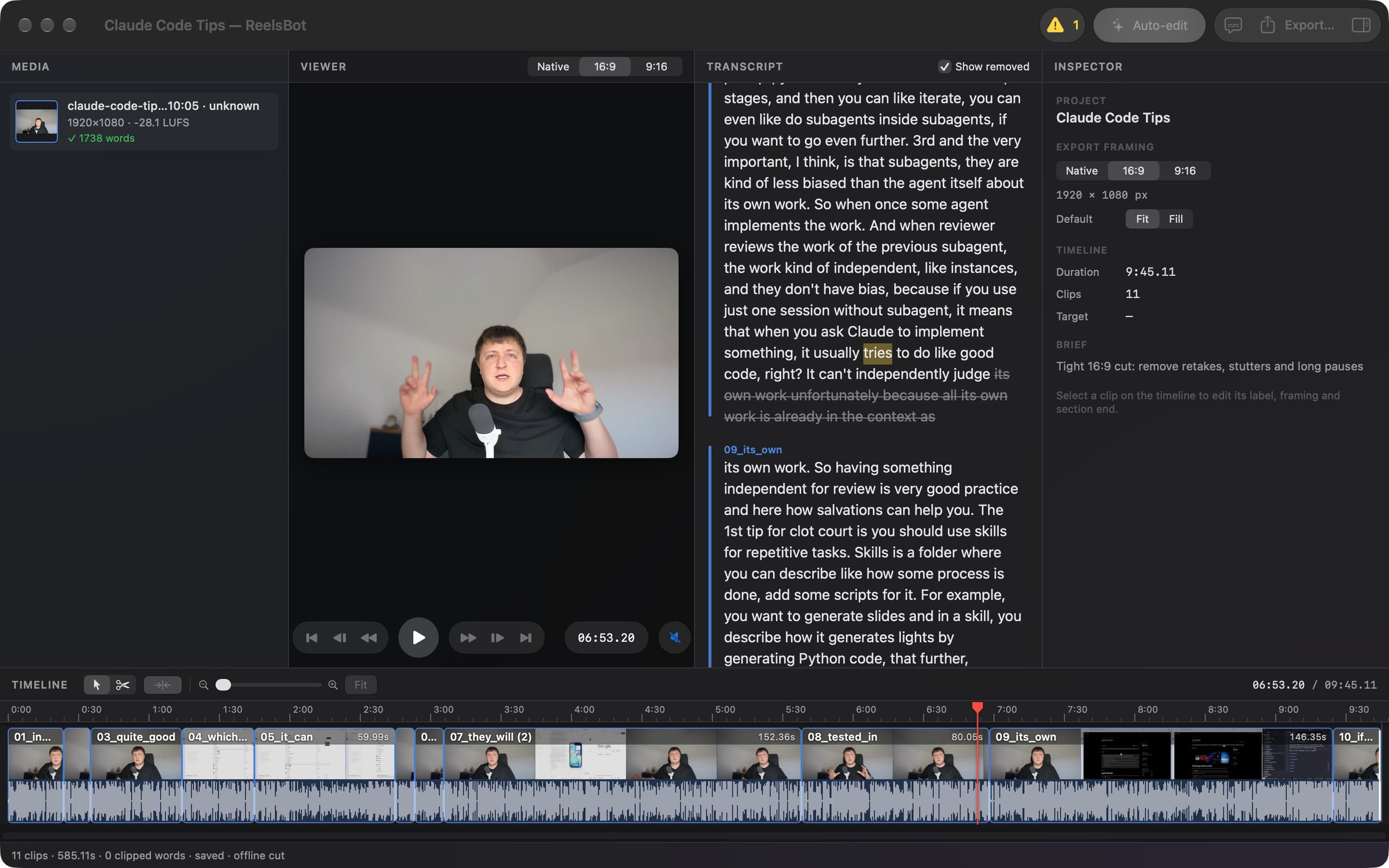
See every cut word struck through, and click one to bring its span back.
Planner notes
A list of what the planner noticed: short fragments, kept stutters, retakes it left in.
Autosave & recovery
Saves two seconds after every change. After a crash, you lose at most two seconds.
Subtitles
Export an .srt next to the video, or on its own with ⇧⌘E.
Relink media
Moved or renamed a clip? ReelsBot says which, and finds it again in a folder you pick.
retakectl CLI
Everything the app does is also a command: auto-edit, edit, export and verify from scripts.
A closer look
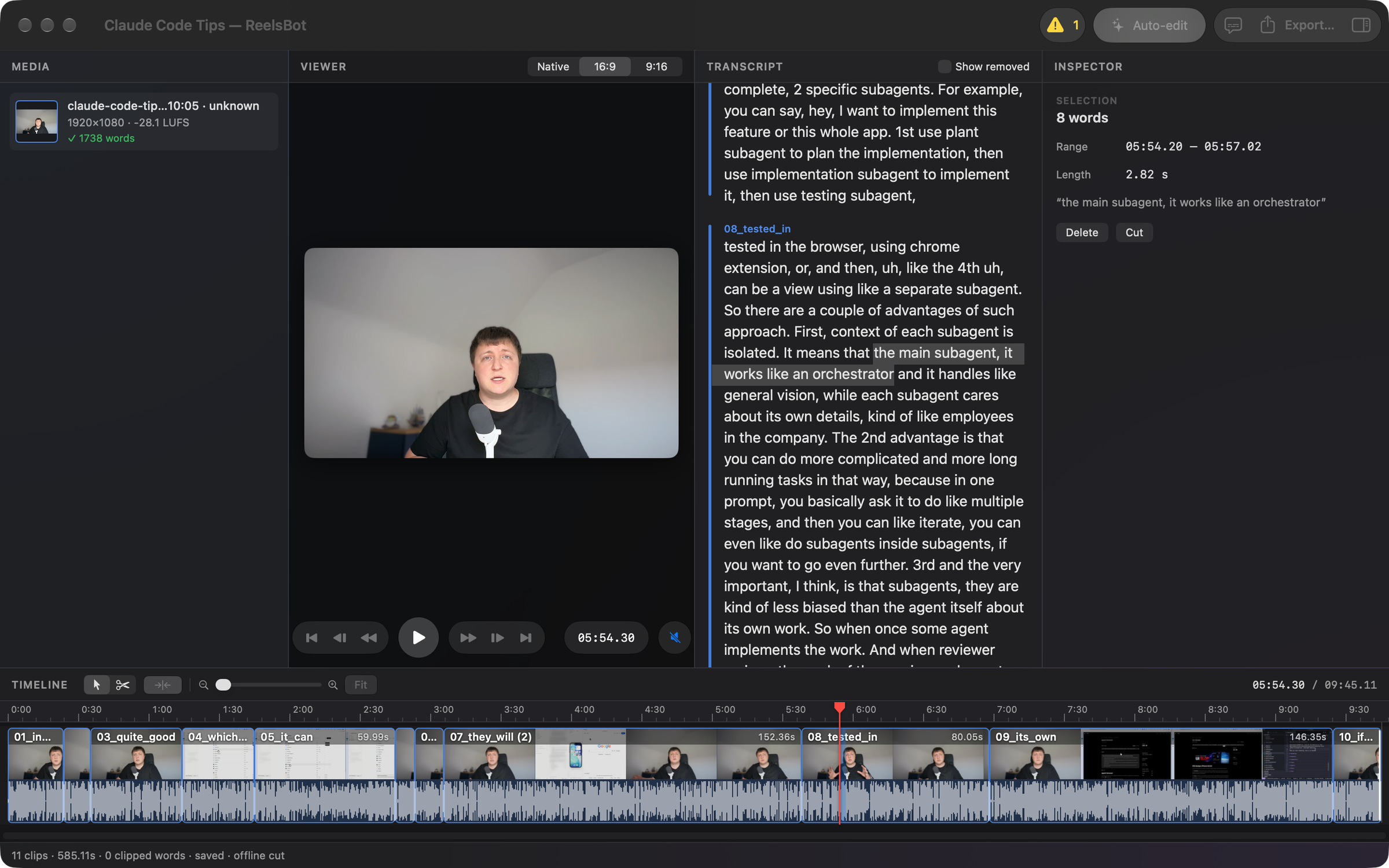
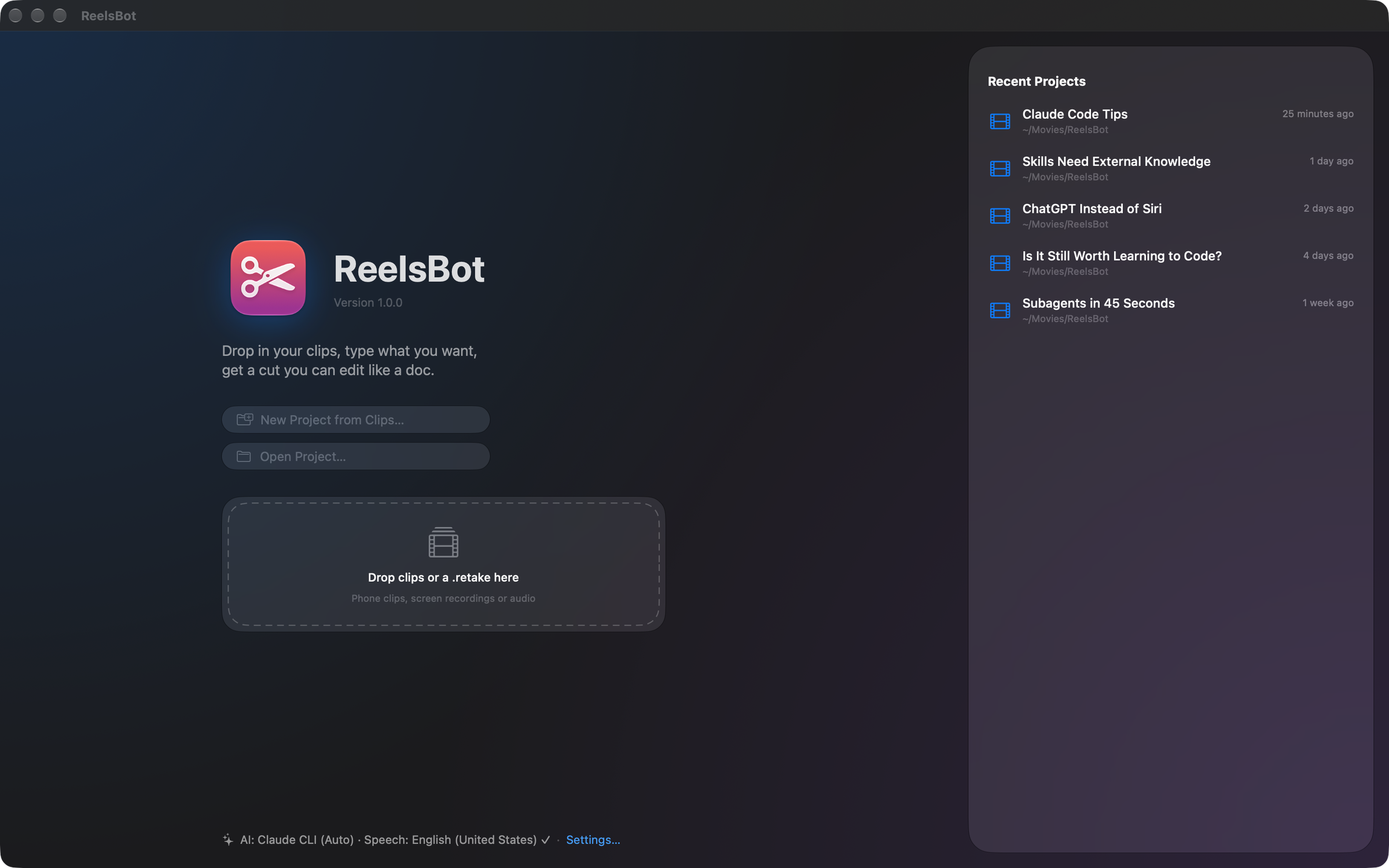
One window, from raw clips to a verified export.
These are real screenshots of ReelsBot for Mac.
Bring your own AI
Your AI, your bill. Or none at all.
No subscription to us. Pick how ReelsBot plans your edits in the welcome guide — and change it any time in Settings ▸ AI.
Claude API
about $0.05–0.15 per short
Paste a key from console.anthropic.com. It is stored in your login Keychain, and you pay Anthropic directly for what you use.
Claude Code
included in your Claude plan
Already logged in to Claude Code? ReelsBot plans through the claude command and shows whether it found it and you are signed in.
Offline
free, forever
Built-in rules keep all speech in order and remove repeated takes, stutters and long pauses. Nothing leaves your Mac.
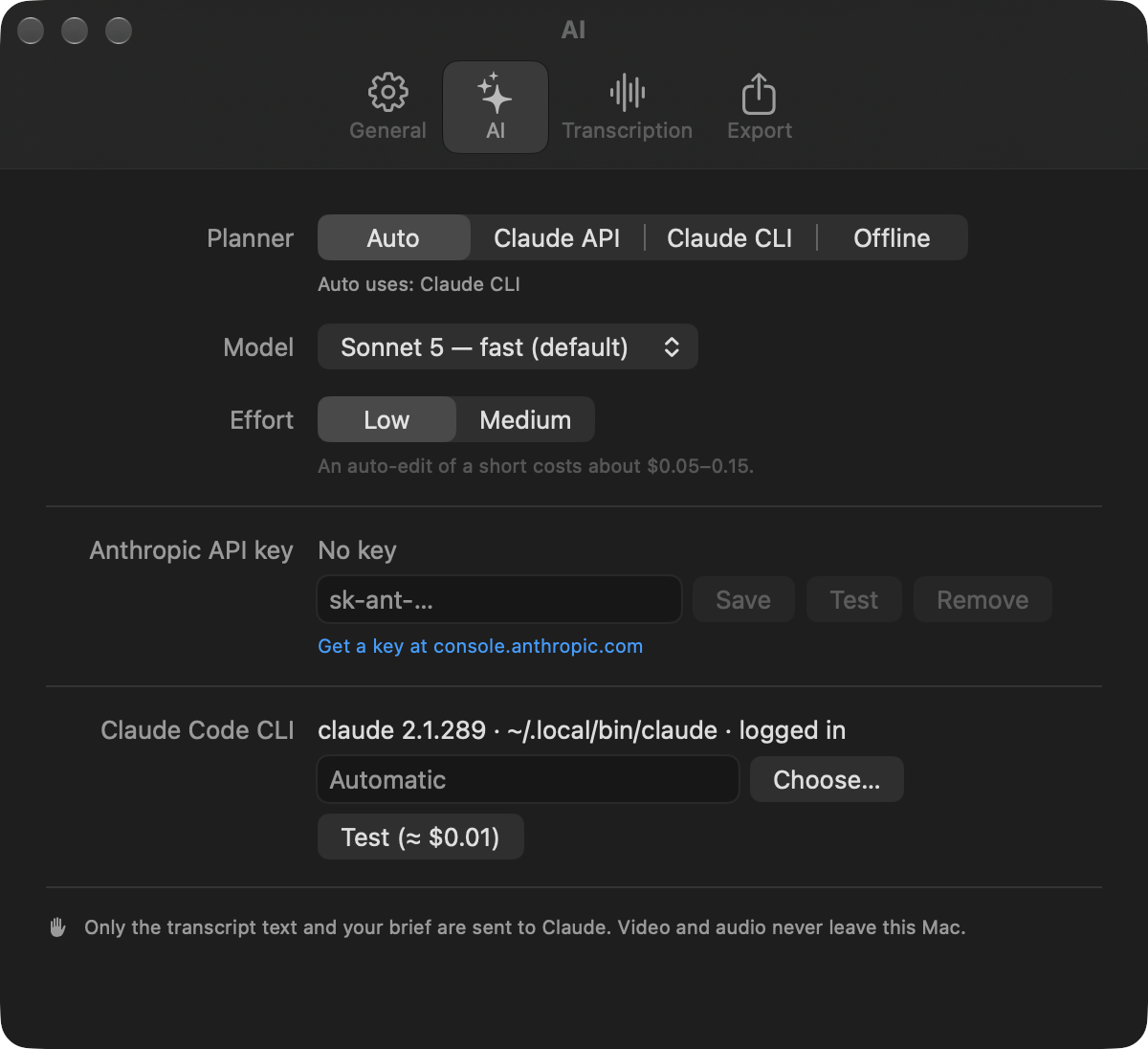
Not sure? Leave it on Auto: the API if a key is set, else Claude Code, else offline. If Claude fails — offline, rejected key, overloaded — you get the offline cut and a banner that says why.
Private by design
Your footage never leaves your Mac.
ReelsBot is a native app, not a web uploader. Your clips stay on your disk, and so does everything ReelsBot makes from them.
Transcription runs on-device
Apple’s speech model (or parakeet-mlx, if you choose it) turns speech into words on your Mac.
Only text goes to Claude
If you use Claude, ReelsBot sends the transcript text and your brief. Never video, never audio.
No account in the app
No sign-in, no cloud library. Projects are plain .retake folders in ~/Movies/ReelsBot.
Your Mac
Requirements
Apple silicon
Any Mac with an M-series chip.
macOS 26 Tahoe
Or later. Uses Apple’s newest speech APIs.
Internet once
To download the on-device speech model the first time.
AI optional
An Anthropic API key or Claude Code for AI planning — or none.
Pricing
Pay once. Keep it.
One price, no subscription, no credits. AI planning is optional and billed by Anthropic to you, if you use it.

ReelsBot for Mac
No subscription. No credits.
What you get
- ReelsBot for Mac — yours to keep
- Every 1.x update, from the same download link
- Auto-edit, transcript editing and the full timeline
- Captions, 9:16 / 16:9 framing, −14 LUFS, verified exports
- The retakectl command-line tool
- Works offline; bring your own Claude for AI planning
- 14-day refund if it isn’t for you
Requires a Mac with Apple silicon and macOS 26 or later.
Your next short is already in your camera roll.
Drop it into ReelsBot, type a brief, and spend your time on the edit decisions — not on hunting for the good take.
One-time payment · Apple silicon · macOS 26+